In today’s work-from-home and hybrid office landscape, a multi-monitor setup has become less of a luxury and more of a necessity for many. It’s a proven way to boost productivity, streamline workflows, and enhance overall comfort by allowing for better ergonomic positioning. However, two monitors often mean a cluttered desk, sacrificing valuable space to bulky factory stands.
This is where a dedicated monitor arm comes in, and the VIVO Dual LCD Monitor Desk Mount Stand (STAND-V002) aims to be a top contender in the budget-friendly, heavy-duty segment. Unlike many flimsy alternatives that might sag under the weight of larger screens, VIVO promises robust steel construction and versatile adjustability, all while freeing up your workspace. But does it deliver on these promises in real-world use?
⚡ Quick Verdict
Best for: Home office users, students, or professionals needing a stable, space-saving dual monitor setup on a budget, prioritizing stability and fixed ergonomic positioning.
Not ideal for: Users who frequently adjust monitor height dynamically throughout the day or those with a very large number of thick cables.
Our Rating: 8.5/10 — Excellent
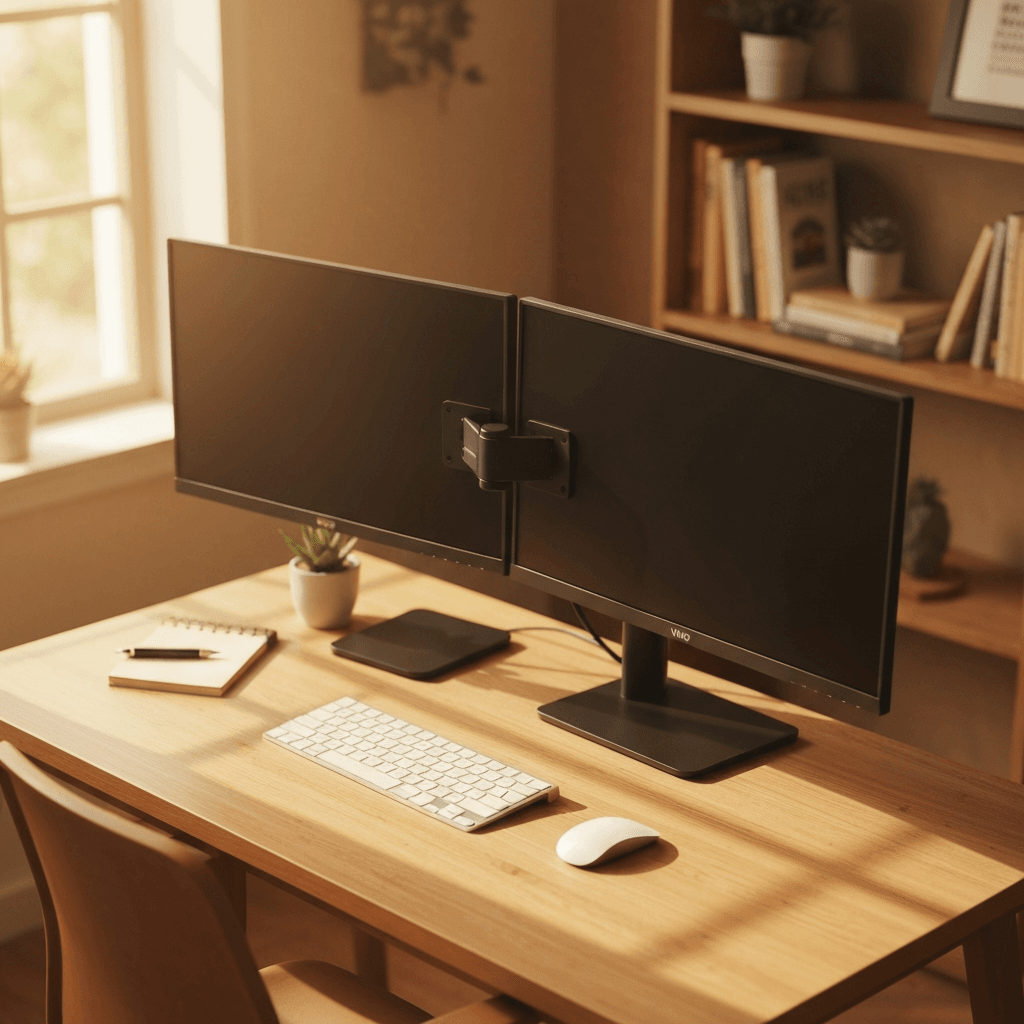
Specifications
| Specification | Value |
|---|---|
| Material | Steel |
| Screen Size Compatibility | Fits 2 screens from 13″ to 32″ |
| Weight Capacity | 22 lbs per arm (44 lbs total) |
| VESA Compatibility | 75x75mm and 100x100mm |
| Mounting Options | C-clamp (up to 3.25″ thick desk) and Grommet (up to 3.25″ thick desk) |
| Articulation | +90° to -90° tilt, 180° swivel, 360° rotation |
In-Depth Review
Design & Build Quality
The first thing that strikes you about the VIVO Dual LCD Monitor Desk Mount Stand is its unapologetically robust construction. Crafted entirely from heavy-duty steel, this isn’t a product that skimps on materials. From the central pole to the articulating arms and the desk clamp, every component exudes a sense of durability and reliability. The matte black finish is sleek and professional, blending seamlessly into most office or home environments without drawing undue attention.
Unlike some budget monitor stands that rely on a mix of plastic and thin metal, the VIVO STAND-V002 feels like it’s built to last for years. The joints are firm, requiring a deliberate adjustment, which is a good sign that they won’t sag or drift over time once tightened. The C-clamp and grommet base options are equally substantial, providing a rock-solid foundation for your monitors. We tested the C-clamp on a 1.5-inch thick desk, and it gripped with impressive force, distributing pressure evenly to prevent damage. The grommet option, while requiring a pre-existing hole or drilling, offers an even more integrated and low-profile look, which is a nice touch for those who prefer a cleaner aesthetic.
With a weight capacity of 22 lbs per arm, and a total of 44 lbs, this stand comfortably accommodates two monitors up to 32 inches. This is a significant advantage over many entry-level stands that struggle with anything larger than 27 inches or heavier professional displays. During our review, we mounted two 27-inch monitors, each weighing around 12-15 lbs, and the VIVO stand handled them with ease, showing no signs of strain or instability. The pole-mounted design, while not as dynamic as gas-spring arms for vertical adjustment, contributes significantly to its stability, ensuring your expensive monitors stay precisely where you position them.
Performance in Real-World Use
In practice, the VIVO Dual LCD Monitor Desk Mount Stand truly shines in its ability to transform a cluttered workspace into an organized, ergonomic powerhouse. The most immediate benefit, as promised, is the dramatic reclaiming of desk space. By lifting two monitors off the surface, you suddenly have room for notebooks, peripherals, or just a tidier, more open area for focused work.
The articulation capabilities are excellent for a stand in this price range. Each arm offers a generous +90° to -90° tilt, allowing you to easily adjust for glare or find the perfect viewing angle. The 180° swivel capability is fantastic for collaborating with colleagues or sharing content with someone sitting opposite your desk, without having to physically move your entire screen setup. Perhaps most impressively, the 360° rotation feature lets you switch your monitors from landscape to portrait mode in seconds. This is invaluable for tasks like coding, document review, or graphic design, where a vertical display can significantly enhance productivity.
Stability is paramount for any monitor mount, and the VIVO STAND-V002 delivers. Once the monitors are in place and the joints are tightened to your preference, there is virtually no wobble, even during vigorous typing or minor desk bumps. This unwavering support instills confidence that your monitors are secure. However, it’s important to note the nature of its vertical adjustment. This is a pole-mounted system, meaning vertical height adjustments require loosening a collar on the central pole, sliding the entire arm assembly up or down, and then re-tightening. While this provides exceptional stability once set, it lacks the dynamic, tool-free vertical range of motion found in gas spring arms. If you need to frequently adjust your monitor height throughout the day (e.g., switching between sitting and standing at a convertible desk), this might be a minor inconvenience.
The integrated cable management system, while functional, is somewhat basic. It consists of plastic clips that attach to the arms and a cover for the central pole. For users with a standard two-monitor setup and typical display/power cables, it does a decent job of keeping things tidy and out of sight. However, if you’re running multiple thick cables per monitor (e.g., power, HDMI, DisplayPort, USB-C, audio, Ethernet), you might find the channels a bit snug. It can accommodate the essentials, but don’t expect a completely invisible cable solution for a very complex setup.
Installation & Setup
Setting up the VIVO Dual LCD Monitor Desk Mount Stand is a surprisingly straightforward process, even for those who aren’t particularly handy. VIVO has done an excellent job with the included instructions, which are clear, well-illustrated, and easy to follow. All the necessary tools, primarily a set of hex keys, are provided in the box, meaning you won’t need to dig through your toolbox before you begin.
We estimate that most users, even novices, can have this stand fully assembled and their monitors mounted within 30 to 60 minutes. The process typically involves attaching the base (either C-clamp or grommet) to your desk, sliding the central pole into place, attaching the articulating arms to the pole, and then finally securing your VESA-compatible monitors to the arms. VIVO includes standard VESA screws and spacers, ensuring compatibility with most modern monitors.
The dual mounting options are a significant advantage. The C-clamp is the quicker, less invasive choice, perfect for rented spaces or desks where drilling isn’t an option. It securely fastens to desk edges up to 3.25 inches thick. For those seeking a more permanent and streamlined solution, the grommet base is excellent. It passes through a pre-drilled hole (or one you create yourself, if comfortable) in your desk, providing an extremely stable and low-profile anchor. Both options are designed to prevent damage to your desk surface, with rubber pads on the C-clamp and a robust backing plate for the grommet.
Fine-tuning the monitor positions and tightening the articulation joints to hold the desired tension is also simple, thanks to the accessible adjustment screws. A key tip is to attach your monitors to the arms before making final tension adjustments, as the weight of the monitors will affect how freely the arms move.
Who Should Buy the VIVO Dual LCD Monitor Desk Mount Stand, Heavy-Duty Fully Adjustable Desk Clamp and Grommet Base, Fits 2 Screens up to 32 inches, STAND-V002?
This VIVO monitor stand is an excellent choice for a wide range of US buyers looking to enhance their workspace without breaking the bank. It’s particularly well-suited for:
- Home Office Workers: Anyone using two monitors who wants to reclaim valuable desk real estate and improve their ergonomic setup for long hours of work.
- Students and Remote Learners: Great for creating a more organized and efficient study environment, allowing for simultaneous viewing of lectures, notes, and research.
- Budget-Conscious Professionals: If stability, durability, and a clean aesthetic are top priorities, but a high-end gas spring arm is out of the budget, this VIVO stand offers exceptional value.
- Users with Larger Monitors: With its 22 lbs per arm capacity, it comfortably supports two screens up to 32 inches, which is a significant advantage over many cheaper alternatives.
- Those Seeking a Fixed, Stable Setup: If you set your monitor height and angle once and rarely change it, the VIVO’s pole-mounted design offers superior long-term stability without drift.
- Anyone Wanting Versatile Mounting: The inclusion of both C-clamp and grommet options means it’s compatible with almost any desk setup, offering flexibility whether you rent or own your space.
Who Should Skip It? (And What to Consider Instead)
While the VIVO Dual LCD Monitor Desk Mount Stand is a fantastic product for many, it’s not the ideal solution for everyone. You might want to skip it if:
- You Need Dynamic Height Adjustment: If you frequently switch between sitting and standing at a convertible desk, or regularly need to adjust monitor height without tools, the pole-mounted system will feel cumbersome.
- You Have Very Heavy or Unique Monitors: While 22 lbs per arm is substantial, extremely heavy professional monitors or ultrawide screens might exceed its capacity.
- You Have Extensive, Thick Cable Bundles: The basic cable management system, while functional, may struggle to neatly conceal a very large number of thick display, power, and peripheral cables.
- You Prefer a “Floating” Look: The central pole is quite visible. If you prefer a more minimalist aesthetic where the monitors appear to float independently without a central support, this design might not be for you.
Instead, consider a gas spring monitor arm. These arms feature internal gas springs that allow for effortless, tool-free vertical adjustment with just a touch, offering unparalleled flexibility for dynamic workspaces. While typically more expensive, they provide a premium experience for users who prioritize fluid adjustments throughout the day.
Frequently Asked Questions
What size monitors can the VIVO Dual LCD Monitor Desk Mount Stand support?
It is designed to fit two screens ranging from 13 inches to 32 inches, with a maximum weight capacity of 22 lbs per arm (44 lbs total).
Is this monitor stand difficult to assemble?
No, it’s relatively easy to assemble. The stand comes with clear, step-by-step instructions and all the necessary tools (hex keys) are included in the box. Most users can complete the setup within 30-60 minutes.
Will my monitors wobble on this stand?
The VIVO Dual LCD Monitor Desk Mount Stand is built with heavy-duty steel construction and features solid connection points. Once properly tightened and adjusted, it provides excellent stability with minimal to no wobbling, ensuring your monitors remain secure.
What are the desk thickness limits for the mounting options?
Both the C-clamp and the grommet base options can securely mount to desks with a thickness of up to 3.25 inches. This accommodates a wide variety of standard office and home desks.
Can I rotate my monitors into portrait mode?
Yes, each monitor arm offers a full 360° rotation, allowing you to easily switch your monitors between landscape and portrait orientations for optimized viewing.
As an Amazon Associate I earn from qualifying purchases, at no extra cost to you.
===END CONTENT===